1. Catch the impulse
Instead of switching between shopping tabs and mental math, open ImpulseLog or share a product link directly to it, then add the item, amount, notes, mood, and optional place.
ImpulseLog is not a full budgeting suite. It is a focused iPhone app for logging resisted purchases, slowing down with a wait timer, planning shopping lists, tracking mood and place context, and turning “I almost bought that” into visible progress.

Use the iPhone share sheet to send its product link to ImpulseLog. You can also open the app and add the item yourself.
Try Help me decide or set a wait timer. A timer is a reminder to revisit the choice, not a commitment to buy.
When you return, log whether you bought it or skipped it. Add a note only if it helps you remember the moment.
This is a walkthrough, not a customer result. Your choices and amounts are your own.
Articles can explain emotional spending, ADHD patterns, or strategies that help. That is useful, but the next step still has to happen during a real urge.
ImpulseLog ties the moment to a clear action: open the app, log the urge, pause the purchase, plan the trip, and build momentum toward a savings goal.
Instead of switching between shopping tabs and mental math, open ImpulseLog or share a product link directly to it, then add the item, amount, notes, mood, and optional place.
Use the wait timer when you want friction before buying, especially for items that feel urgent in the moment.
Resisted purchases feed your Impulse Ledger, savings goals, streaks, and challenges so self-control feels visible.
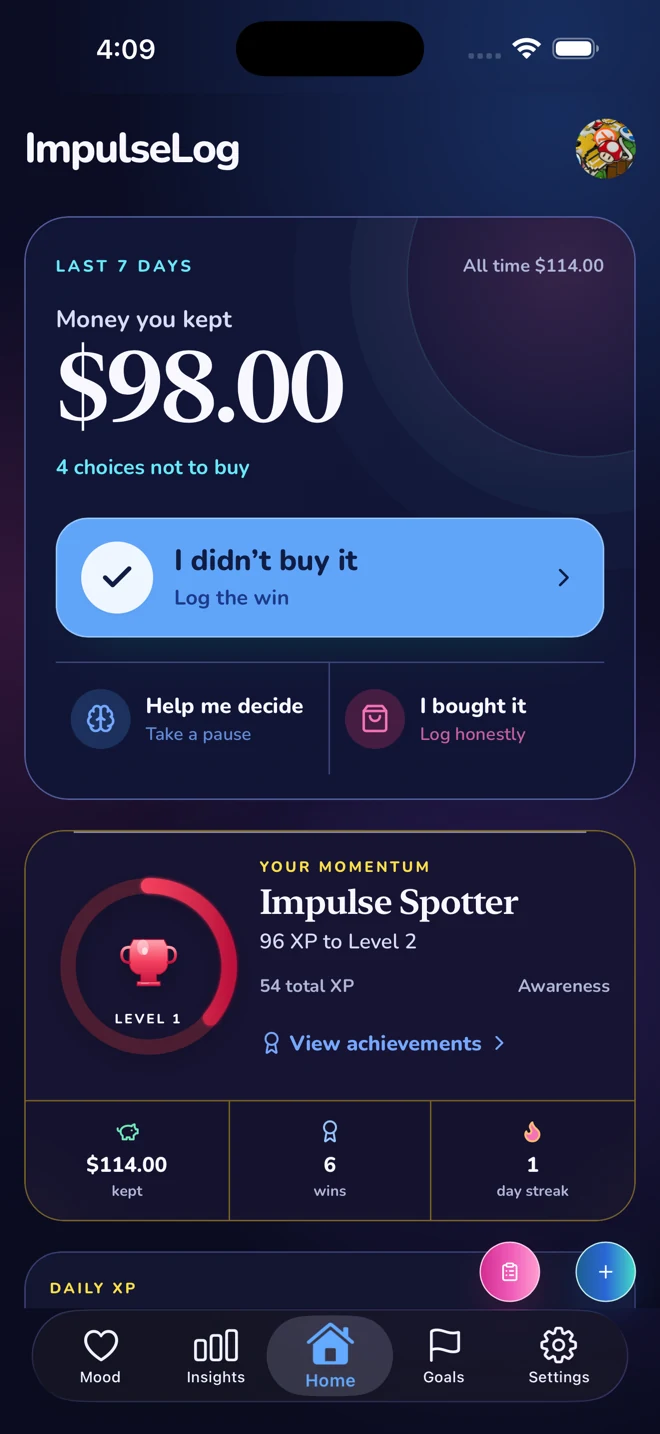
The dashboard keeps your recent wins, goals, and daily challenges visible so impulse control feels like progress, not deprivation.
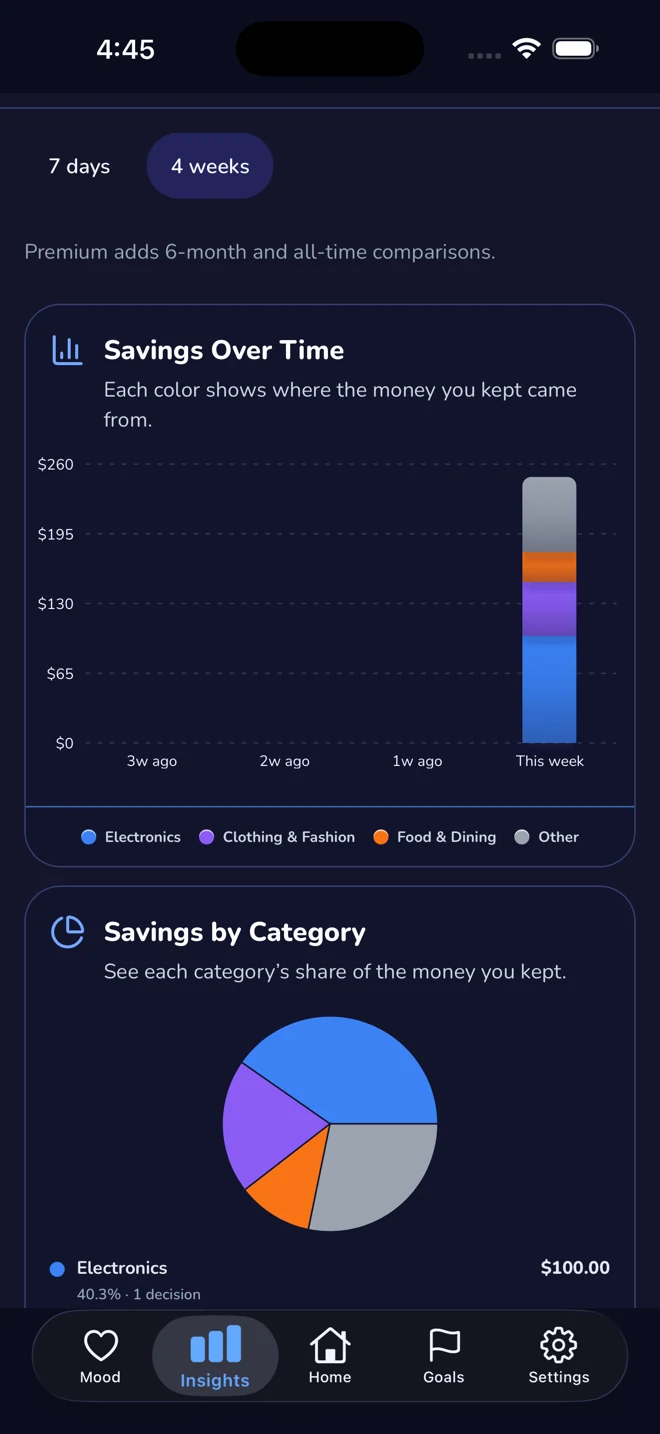
Review what you resisted, where the money would have gone, and which categories, moods, or places often appear around higher-friction decisions.
ImpulseLog gives you a clear answer to “what should I do instead of buying this right now?” without turning the moment into a complicated budgeting session.